Book a FREE 15-minute consultation with an expert – Book Now

What to Do When Your Instagram Account Is Hacked, and the Email Is Changed
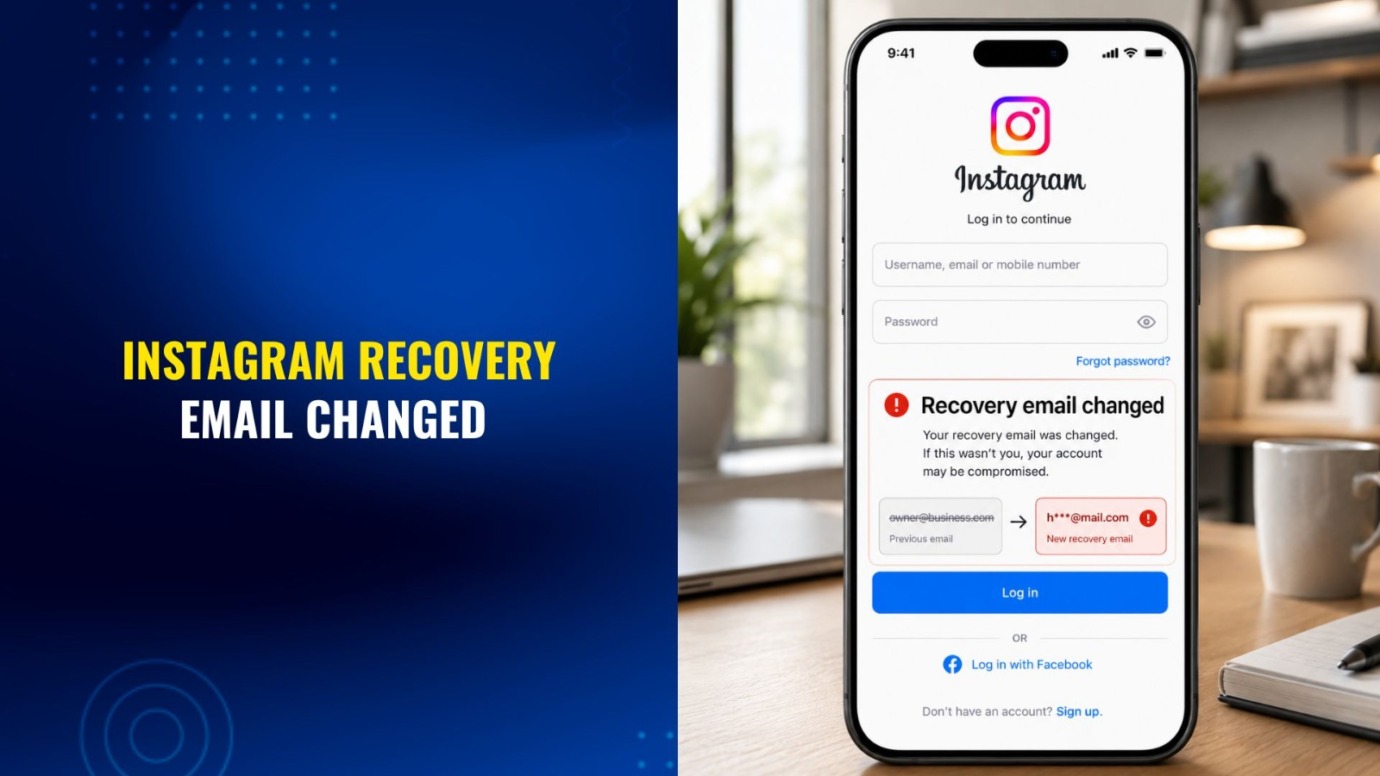
Losing access to Instagram is stressful on its own. Finding out the hacker also swapped out your recovery email is worse, because it cuts off the usual password reset path and can leave your business’s main marketing channel, or a creator’s entire audience, stranded. We’ve walked small businesses and creators through this exact scramble, and the recovery process is workable if you move through it in the right order.
In this article, we’ll walk you through several scenarios: What to check first, how Instagram’s recovery flow handles a changed email, what to do once you’re back in, and when the situation moves from an account settings problem into something that needs a legal or platform escalation approach.
What Are the First Signs Someone Hacked Your Instagram Account?
Before assuming the worst, confirm it. According to the Federal Trade Commission, common signs of a hacked account include:
- You can’t log in even though you’re using the correct password.
- You get a notification about a username, email, or password change you didn’t make.
- You see a login alert from a device or location you don’t recognize.
- Followers or contacts mention messages or posts you never sent.
If any of these apply and you still have access to your original email or phone, try the standard “Forgot password?” flow first. Instagram will send a reset link to whatever contact method is still valid. This is the fastest path back in, and it’s worth trying even if you assume the hacker already locked you out completely.
How Do You Recover Instagram If the Hacker Changed Your Email?
If the attacker changed the email or phone number on file, the standard reset won’t reach you. In that case, Instagram’s own hacked-account flow, reachable from the login screen through “Forgot password?” and then an option along the lines of “my account was hacked,” walks you through identity and ownership verification without relying on the compromised contact details.
Because platform recovery flows change their exact wording and steps periodically, the most reliable move is to follow the current on-screen instructions in the app rather than a fixed script. The FTC’s guide to recovering a hacked account links directly to each major platform’s official recovery page, Instagram included, and it’s a good starting point if you’re unsure which flow applies to your situation.
What If You Still Have the Original Email Inbox?
Check it before doing anything else. Instagram often sends a notification when account details change, and in some cases that notification includes a way to reverse the change directly. Even if too much time has passed for that option to still work, the email gives you a timestamped record of when the change happened, which is useful if you later need to demonstrate account ownership or escalate the matter.
How Long Does Instagram Account Recovery Take?
Recovery timelines vary widely depending on how Instagram routes the case, whether it requires identity verification, and current review volume, so it’s not something we’d put a fixed number on. Instagram often prioritizes business or verified accounts, and cases involving apparent fraud, differently than a routine password reset. If your account supports your business, documenting the impact (lost sales, paused campaigns, missed customer messages) can matter later even if it doesn’t speed up the initial review.
What Should You Do Immediately After Regaining Access?
Once you’re back in, the FTC’s recommended sequence applies directly to Instagram:
- Change your password to something you haven’t used elsewhere.
- Sign out of all sessions and devices, which forces the hacker’s device off the account.
- Turn on two-factor authentication if it isn’t already active.
- Check your recovery email and phone number to confirm they’re yours and current.
- Review recent messages, posts, or new follows you didn’t authorize.
- Let your followers or business contacts know what happened, especially if the hacker sent messages or links from your account while they had control of it.
Skipping any of these leaves a door open for the same thing to happen again within days.
Why Does a Hacked Instagram Account Matter for Your Business?
For a personal account, a hack is an inconvenience. For a business that relies on Instagram to reach customers, promote products, or handle customer service, it’s a genuine business interruption. A hacker can use a compromised account to post scam links to your followers, impersonate your business in DMs to customers, or simply go dark during a launch, sale, or busy season.
If your business already takes online security seriously through data protection and privacy compliance measures or a broader cybersecurity policy, it’s worth treating a social media takeover with the same seriousness as a breach of your website or customer database. The habits that protect your other business accounts, like unique passwords, two-factor authentication, and limiting who has admin access, apply just as much to the social accounts that represent your business online.
When Should You Get Legal Help After an Instagram Hack or Impersonation?
In most cases, the platform’s own recovery flow resolves a hacked account. Legal involvement generally becomes relevant when the standard process stalls, when the account is central to business operations and the delay is causing measurable harm, or when the hacker is actively impersonating your business to defraud customers or followers.
In those situations, a formal, documented approach to account and content reinstatement can help clarify ownership and escalate the case beyond the standard support queue. This isn’t a guarantee of a faster outcome, since Instagram controls its own review process, but a clearly documented case with supporting business records tends to be easier for a platform to evaluate.
How Can You Prevent Future Account Takeovers?
Once the account is secured, a few habits meaningfully reduce the odds of a repeat incident:
- Use a unique, strong password, and store it in a password manager instead of reusing it across platforms.
- Keep two-factor authentication on, ideally through an authenticator app rather than SMS.
- Limit how many people have login access, and use Instagram’s built-in collaborator or admin roles where possible instead of sharing a single password.
- Be cautious with third-party apps that request Instagram login access. Hackers often exploit compromised third-party tools to get in.
We’ve also covered the related scenario of a suspended (rather than hacked) account in our guide on what to do if your Instagram account is suspended, which walks through appeals when Instagram itself restricts access rather than a bad actor.
How Do You Protect the Accounts Behind Your Business?
A hacked Instagram account with a changed email is recoverable, but the process rewards moving quickly and methodically rather than panicking. If your business is stuck in the recovery process, or someone used your Instagram account to impersonate your business, contact Cabilly & Co. to talk through next steps for your Instagram account, your broader online security, or a related brand protection concern.
PROTECT YOUR BRAND. GROW YOUR BUSINESS.
Rated 4.9 by 80+ clients on Google Reviews

Top 20
Trademark lawyer in the US*
Top 3
Service providers for Amazon sellers*
96%
Success rate for TM registrations
8000+
Clients Worldwide
Legal Disclaimer: The articles published on our platform are for informational purposes only and do not constitute legal advice in any form. They are not intended to be a substitute for professional legal counsel. For any legal matters, it is essential to consult with us or a qualified attorney who can provide advice tailored to your specific situation. Reliance on any information provided in these articles is solely at your own risk.
Frequently Asked Questions
What should you do first if you think someone hacked your Instagram account?
Check for warning signs: you can’t log in, you got a notification about a change you didn’t make, or a follower says they received a message you never sent. If you still have access to your original email or phone, use Instagram’s “Forgot password?” option immediately, before the hacker can lock you out completely.
Can you recover your Instagram account if the hacker changed your email address?
In most cases, yes. Go to Instagram’s login screen, select “Forgot password?”, then look for the option indicating your account was hacked. Instagram verifies your identity and ownership directly, without relying on the compromised email or phone number.
How long does Instagram account recovery take?
Recovery timelines vary widely depending on how Instagram routes your case, whether it requires identity verification, and current review volume. Instagram often handles business or verified accounts, and cases involving apparent fraud, differently than a routine password reset.
What should you do immediately after regaining access to a hacked Instagram account?
Change your password to something unique, sign out of all devices and sessions, turn on two-factor authentication, and confirm your recovery email and phone number are accurate. Review recent activity for anything you didn’t authorize, and tell your followers or business contacts what happened.
Should a business get legal help after an Instagram hack?
In most cases, Instagram’s own recovery flow resolves a hacked account. Legal help becomes more relevant when that process stalls, the account is central to your business and the delay is causing measurable harm, or the hacker impersonates your business to defraud customers.
How can a business prevent its Instagram account from getting hacked again?
Use a unique, strong password and store it in a password manager instead of reusing it. Keep two-factor authentication on through an authenticator app, limit who has login access, and stay cautious with third-party apps that request Instagram permissions.
Read the latest from Cabilly & Co.
 Oct 19, 2026
Amazon Brand Registry – Discover for Free if You’re Eligible
Increase Your Chance of Getting a
Trademark to 96%


STAY UPDATED
Subscribe to Our Newsletter
Sign up to receive valuable information on E-Commerce and intellectual property
Have a legal question?