
Book a FREE 15-minute consultation with an expert – Book Now

How to Unfreeze Stuck FBA Inventory on Amazon: A Practical Guide for Sellers
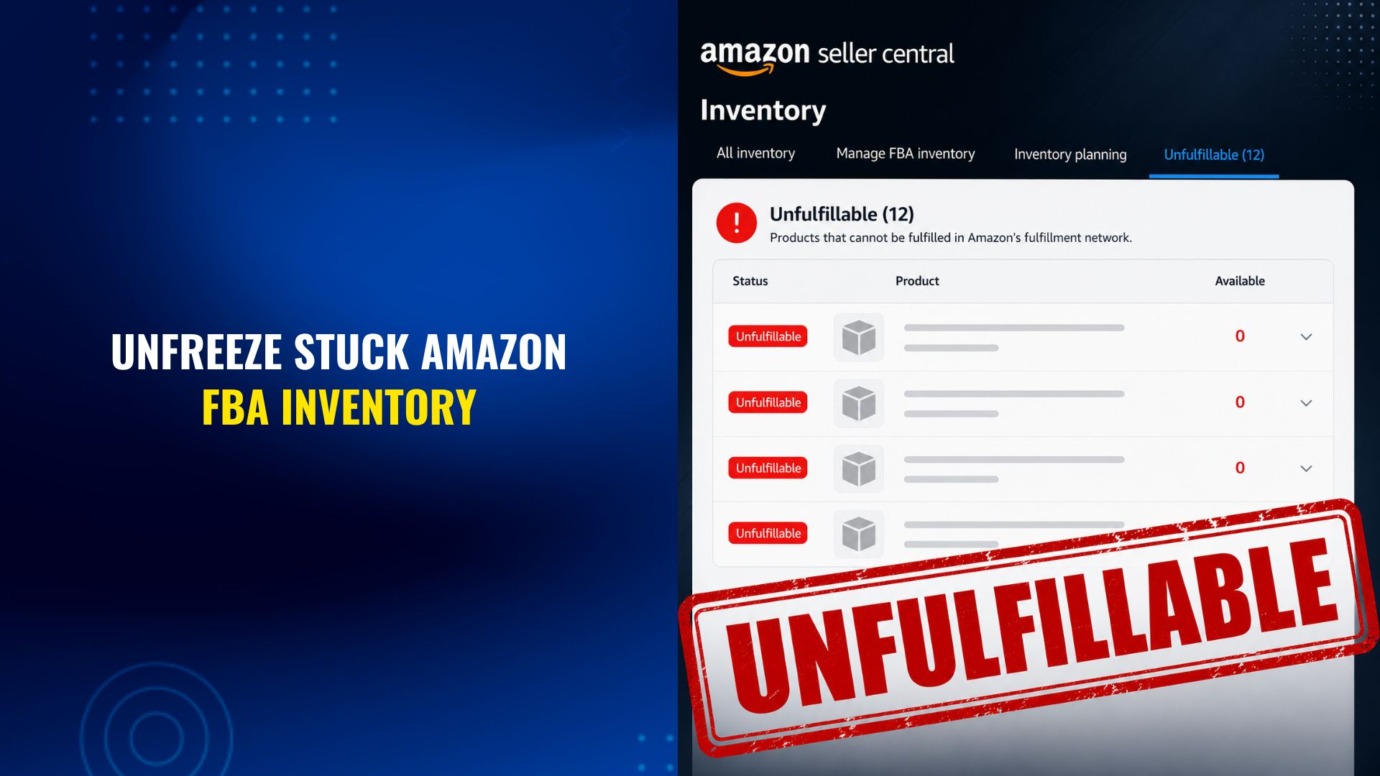
You open your inventory page, and there they are: units that won’t budge. You can’t sell them. You can’t ship them. And when you try to remove them, nothing happens.
If that describes your account right now, you are not imagining it, and you have not necessarily done anything wrong. Frozen or stuck FBA inventory has become one of the more common headaches for Amazon sellers, and the reasons behind it are often outside your direct control.
At Cabilly & Co., we handle these inventory situations every day, and the pattern is almost always the same: a lot of confusion, a ticking clock, and a resolution that is very possible once you understand how the system actually works. This guide walks through why units freeze, how to read what Amazon is telling you, and the practical steps that tend to get inventory moving again.
Why Frozen FBA Inventory Is Getting More Common
Part of the answer traces back to a significant regulatory shift.
In July 2024, the U.S. Consumer Product Safety Commission issued a decision finding that Amazon acts as a “distributor” under the Consumer Product Safety Act for products sold by third-party sellers through the Fulfilled by Amazon program. As the CPSC announced, the order covered more than 400,000 products, including children’s sleepwear that failed flammability standards, carbon monoxide detectors that did not alert properly, and hair dryers lacking electrocution protection.
It’s worth noting that this decision is not fully settled. Amazon has challenged the ruling in federal court, in part relying on the Supreme Court’s Loper Bright decision limiting deference to agency interpretations. The legal question of how far a marketplace’s distributor liability extends may continue to develop, so the framework described here could shift over time.
The practical takeaway for sellers is straightforward. When a platform faces potential legal responsibility as a distributor, it has strong incentives to lock down anything that resembles a safety risk quickly and firmly. That caution is one reason inventory now gets frozen in ways that can feel disproportionate to the underlying issue.
Common Reasons Inventory Freezes
Frozen units are not always the product of a recall. Inventory can become stuck for several reasons:
- Pending compliance requests or policy violations which must first be cleared to release inventory for sale or removal
- Safety recalls or holds placed on a product for compliance reasons.
- Failed transfers between fulfillment centers, where units get caught in transit.
- Units held at inactive centers that are no longer processing removals.
- Improperly labelled inventory, e.g., inventory without FNSKU labels or labels improperly applied
- Ambiguous status flags with no clearly stated cause.
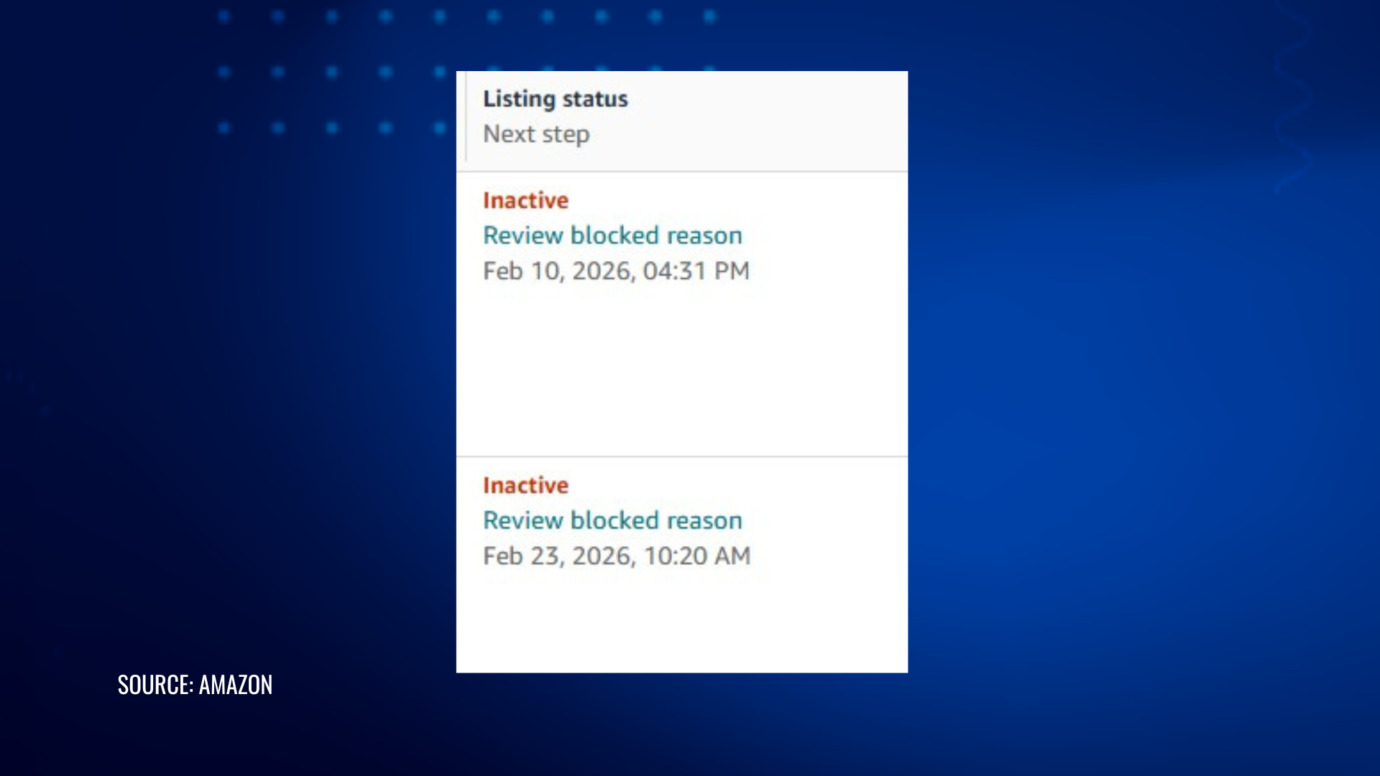
When this happens, your listing may be tagged as inactive, reserved, unfulfillable, defective, or stuck in “FC transfer” or “FC Processing” status. Units in these states can sit unresolved for weeks or, in some cases, months.
The Recall Scenario Specifically
Recalls are worth singling out because they create a particularly frustrating loop.
When a product is recalled, Amazon is generally required to place a hold so the units cannot be sold or shipped. Recall requirements typically call for affected units to be destroyed or returned for correction.
The irony is that Amazon’s own hard blocks can make it difficult to clear those units, even when you are trying to do exactly what the recall demands. In all cases, you cannot send in fresh, compliant inventory until every unit of the old product is fully removed from Amazon’s warehouses -whether the units remain in your inventory or in other sellers’ inventory.
How to Read What Amazon Is Telling You
Before you can fix the problem, you need to understand precisely what the system is reporting. This is the first real step, and it is often skipped.
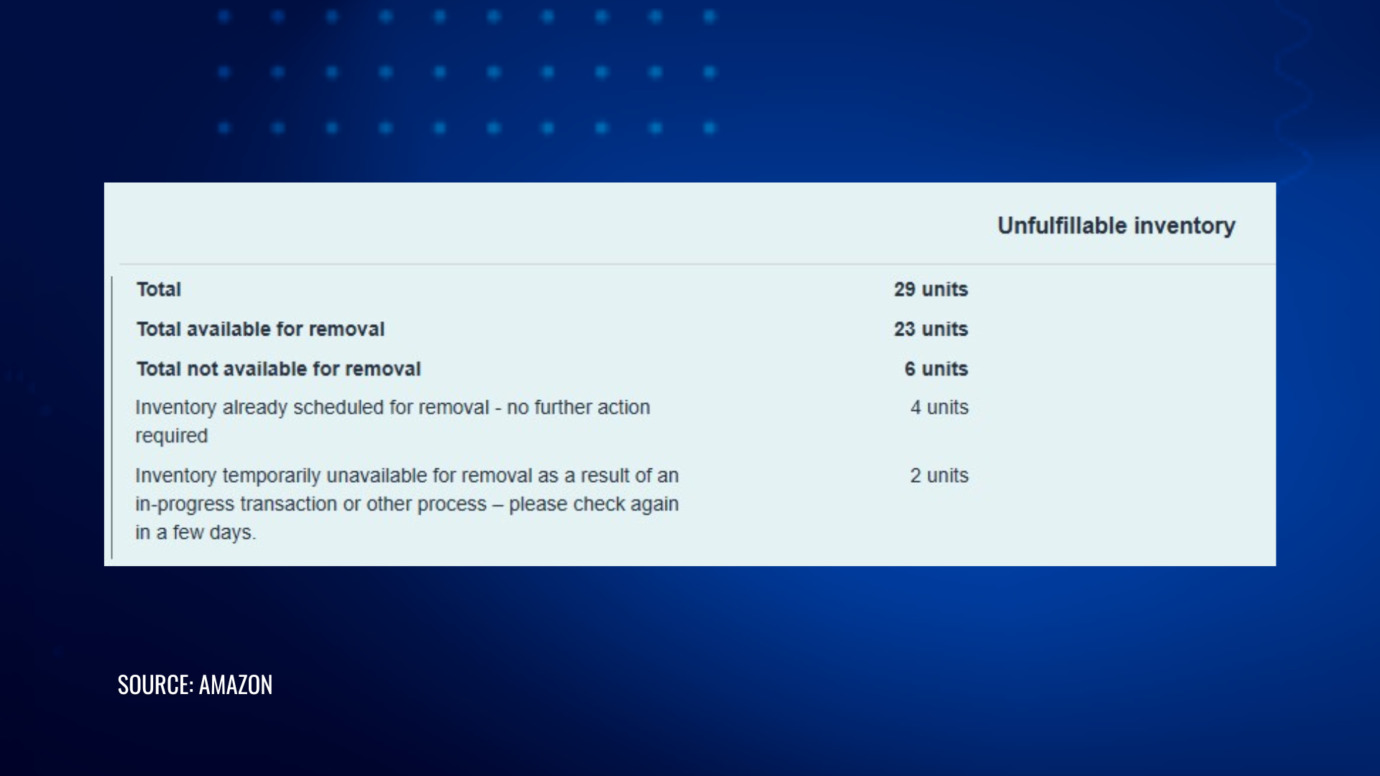
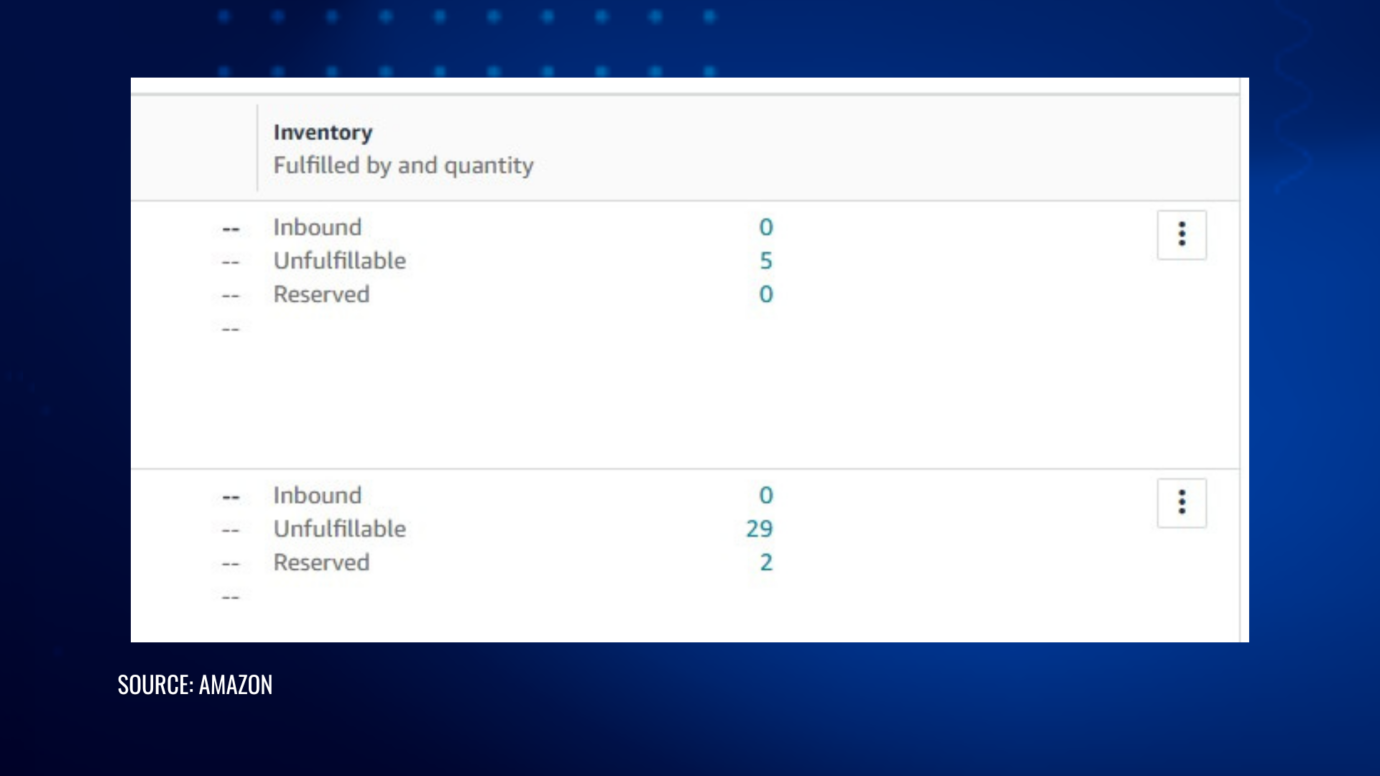
On your inventory page, a frozen listing will usually show an inactive tag, with the quantity column marked unfulfillable.
To see the detail:
- Click the three dots next to the product.
- Choose Create removal order.
- Look at the unfulfillable quantity.
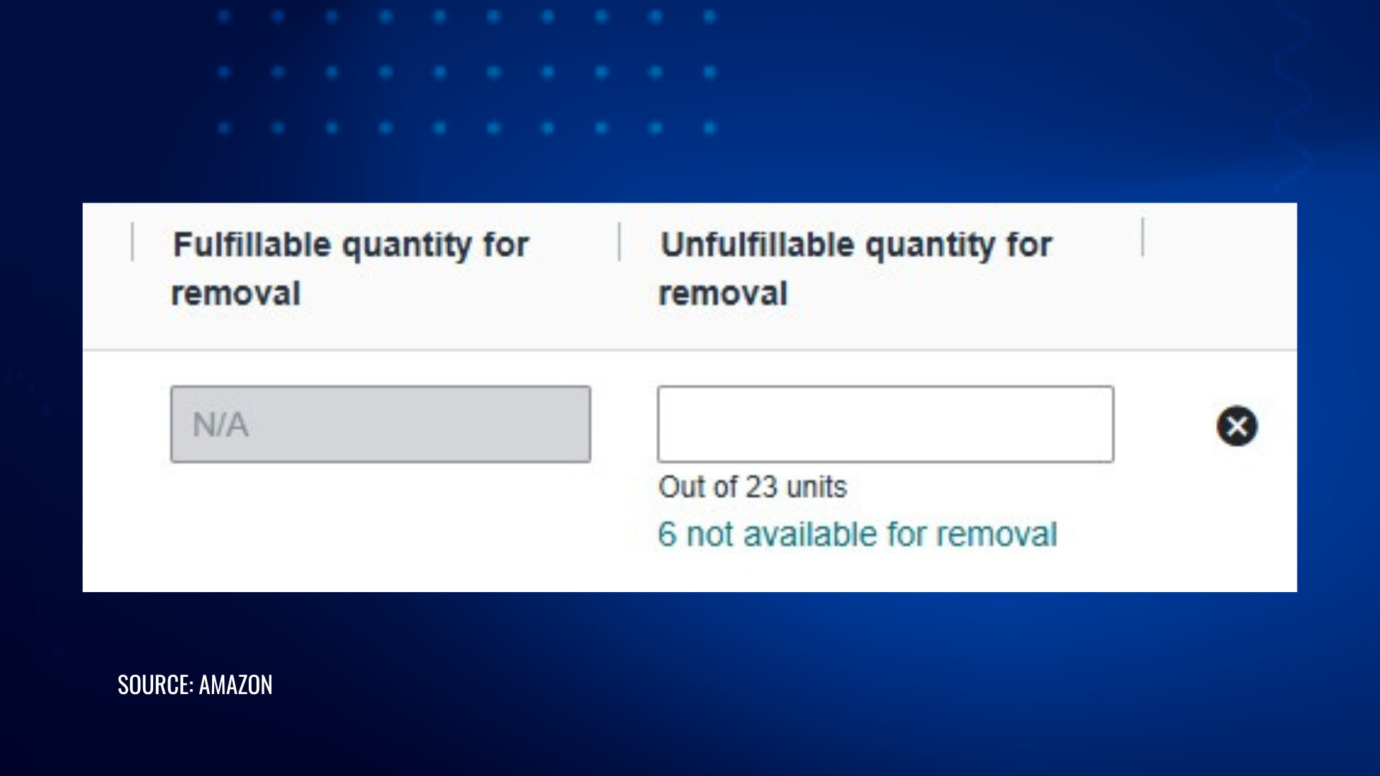
You may see a note along the lines of “out of 23 units, 6 not available for removal.” Clicking that link expands into the specific reasons, which might include entries such as “already scheduled for removal, no further action needed” or “inventory in a location that cannot process removals.”
Read each reason carefully, and keep a running tally of how many units are stuck per product. These figures can change from one day to the next, so a record of what you saw and when becomes useful if you need to escalate later.
The Clock You Need to Know About
For recalled products, timing is not optional.
According to Amazon’s stated policy for recall situations, sellers are generally given a defined window from the date of the notification to remove affected inventory. As Amazon describes it, the company will automatically dispose of units that remain in its fulfillment center for more than 30 days after the notification, without reimbursement and without additional notice, though a drop-down option on the “Fix Stranded Inventory” page can delay some disposals by an additional 30 days.
Because that clock starts the moment the notice lands, waiting passively is the most expensive thing you can do. Note that Amazon’s removal timelines vary by scenario and have been adjusted more than once, so confirm the exact window shown in your own Seller Central account rather than relying on a general figure.
How to Actually Start Freeing Units
If you have resolved any underlying causes for the inventory freeze but your inventory is still being held, and you understand the reasons Amazon has given, you can begin working on the problem.
Open a Case, But Set Expectations
Opening a case is a reasonable first move, and occasionally you reach an agent who is willing and able to help. More often, frontline representatives lack the authority or specialized knowledge to resolve a genuine inventory freeze, and you end up in a cycle of “please allow up to seven business days” replies that do not move anything.
A few practices tend to help:
- Keep each case short, well organized and clearly written and include all ASIN’s and their current statuses
- Unless there are a large number of ASINs involved, try to keep everything in one case, rather than opening multiple cases for the same issue.
- If you have an account manager, involve them in parallel.
- Give agents a reasonable window to act, but recognize when the matter has stalled.
If it becomes clear that nothing is progressing, more targeted communication with specialized teams is usually what breaks the logjam. This is often the point where experienced representation makes a practical difference, and it is the kind of work our Amazon Account and Listing Reinstatement team handles regularly.
The Stray-Unit Problem That Catches Sellers Off Guard
Here is a situation that surprises many sellers.
With safety recalls, Amazon may require that every affected unit be removed from its warehouses, not only the units you own.
Consider this: another seller sold the same product, even if the product is under your private label brand. A customer returned it, and that unit now sits in some fulfillment center. Even if you have removed all of your own units, and even if you have supplied Amazon with test results and compliance documentation showing the issue is resolved, the listing may remain frozen because that one stray unit is still in the system.
If you are confident all of your units are gone and Amazon still will not reinstate the listing, this is worth investigating. The first step is getting Amazon to confirm whether a third-party unit is the cause.
In principle, Amazon should instruct the other seller to remove their units and dispose of them if they fail to act within the applicable window. In practice, that does not always resolve on its own. Getting it addressed often requires close coordination with an FBA specialist or escalation to a senior team.
Setting Realistic Expectations
Patience matters here, and not as a platitude.
It is common for Amazon to clear the large majority of your units quickly, only for a single stuck unit to hold up the entire listing. Expect some back-and-forth.
The approach that works most consistently tends to look the same each time:
- A clear, documented strategy.
- Calm, professional communication.
- Steady, consistent follow-up.
Stuck inventory can feel like your capital is locked behind a wall you cannot climb, and in a real sense it is. But these situations are almost always solvable with the right approach and pressure applied in the right places. Where recalls intersect with product safety obligations, our Amazon Compliance and Regulation practice focuses on exactly this intersection of platform rules and regulatory requirements.
Key Takeaways
- Frozen FBA inventory has grown more common partly because of increased regulatory pressure on Amazon as a distributor, a legal question that remains unsettled and is being litigated.
- Learn to read your inventory flags and removal reasons precisely, and track stuck-unit counts over time.
- For recalls, treat the removal deadline as real and confirm the exact date in your own account.
- Escalation, documentation, and patient follow-up are usually what resolve a freeze, especially in stray-unit situations.
Talk to a Team That Handles This Every Day
If you are dealing with frozen units and getting nowhere, this is precisely the kind of matter we resolve for sellers. Our Amazon seller attorney services team can help you map out a clear path to getting your inventory, and your business, moving again.
Contact Cabilly & Co. to discuss your situation and the options available to you.
PROTECT YOUR BRAND. GROW YOUR BUSINESS.
Rated 4.9 by 80+ clients on Google Reviews

Top 20
Trademark lawyer in the US*
Top 3
Service providers for Amazon sellers*
96%
Success rate for TM registrations
8000+
Clients Worldwide
Legal Disclaimer: The articles published on our platform are for informational purposes only and do not constitute legal advice in any form. They are not intended to be a substitute for professional legal counsel. For any legal matters, it is essential to consult with us or a qualified attorney who can provide advice tailored to your specific situation. Reliance on any information provided in these articles is solely at your own risk.
Frequently Asked Questions
How long can Amazon hold frozen inventory before disposing of it?
For recalled products, Amazon’s stated policy generally provides a set window from the notification date before automatic disposal, with an option in some cases to extend it. Timelines differ by scenario and have changed over time, so verify the specific deadline shown in your Seller Central account.
Can I send in new inventory while old units are still frozen?
Often not. In recall situations, Amazon may require every affected unit to be cleared from its warehouses before you can replenish a compliant version of the product.
Why is my listing still frozen after I removed all my units?
A frequent cause is a unit owned by a different seller sitting in an Amazon warehouse. Until that stray unit is cleared, the listing may remain locked even with your compliance documentation in hand. In addition, for recall or compliance cases, reactivating the ASIN is just one phase of the process. Amazon may also require compliance documents, manufacturer or brand statements, and other documentation before the listing is reinstated (a subtle but important distinction).
Is opening a case enough to fix this?
Sometimes, but frequently not. Frontline agents may lack the authority to resolve a genuine freeze, and stalled cases usually require escalation to specialized teams.
Read the latest from Cabilly & Co.
 Oct 12, 2026

Amazon Brand Registry – Discover for Free if You’re Eligible
Increase Your Chance of Getting a
Trademark to 96%


STAY UPDATED
Subscribe to Our Newsletter
Sign up to receive valuable information on E-Commerce and intellectual property
Have a legal question?